
Context approved
The customer confirms scope, access, acceptance criteria, change windows, and named approvers before build activity begins.
Microsoft cloud, security, and AI implementation for regulated and mid-market organizations. Learn More →
Simplicity IT Professional Service | Six-week implementation
Security operations teams: turn an agreed Microsoft Sentinel backlog into tested changes for an approved release.
A Simplicity IT engineer will call you shortly.
Request a callEstimated service fee: USD 45,000. Final scope and fees are confirmed in the statement of work before delivery. Microsoft licenses and consumption are separate.
Six weeks for one workspace, up to eight connectors, 25 analytics rules and five playbooks or automation rules, with pilot validation and the approved production release. Defender portal readiness and the transition operating map are included.
A separate portal-transition engagement is not charged for the same workspace and deliverables. Ongoing SOC operation and a dedicated Security Copilot implementation require separate scope.
A named customer owner approves each production change or cutover against the agreed scope, test evidence, rollback path, operating owner, and expected cost before it proceeds.
Confirm architecture, access, data economics, acceptance criteria, then onboard and validate the prioritized connectors.
Implement and test the approved detection wave, then develop the automation package with notify-only controls and rollback evidence.
Validate Microsoft Defender portal operations, run the approved pilot, and resolve in-scope release blockers.
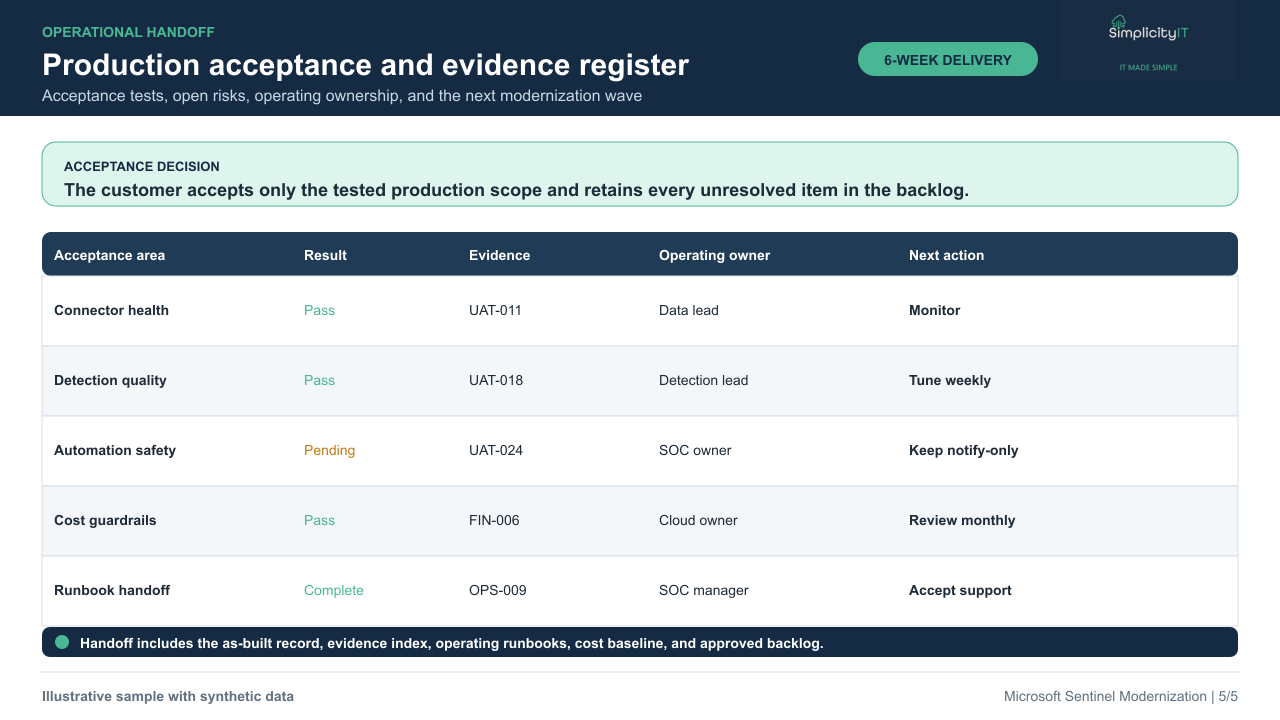
Complete the approved production release, user acceptance testing, as-built evidence, operating runbooks, and the 90-day backlog.
These illustrative examples show the deliverables you can expect. They use synthetic data and do not depict customer environments.
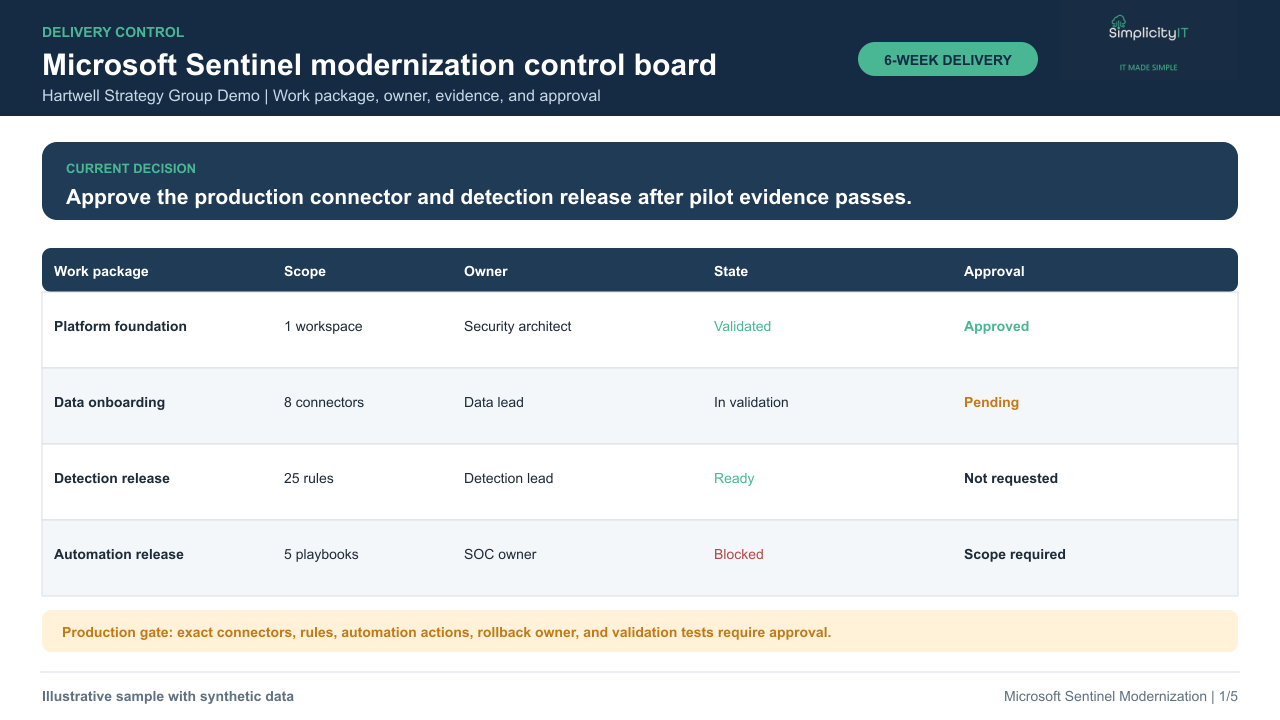
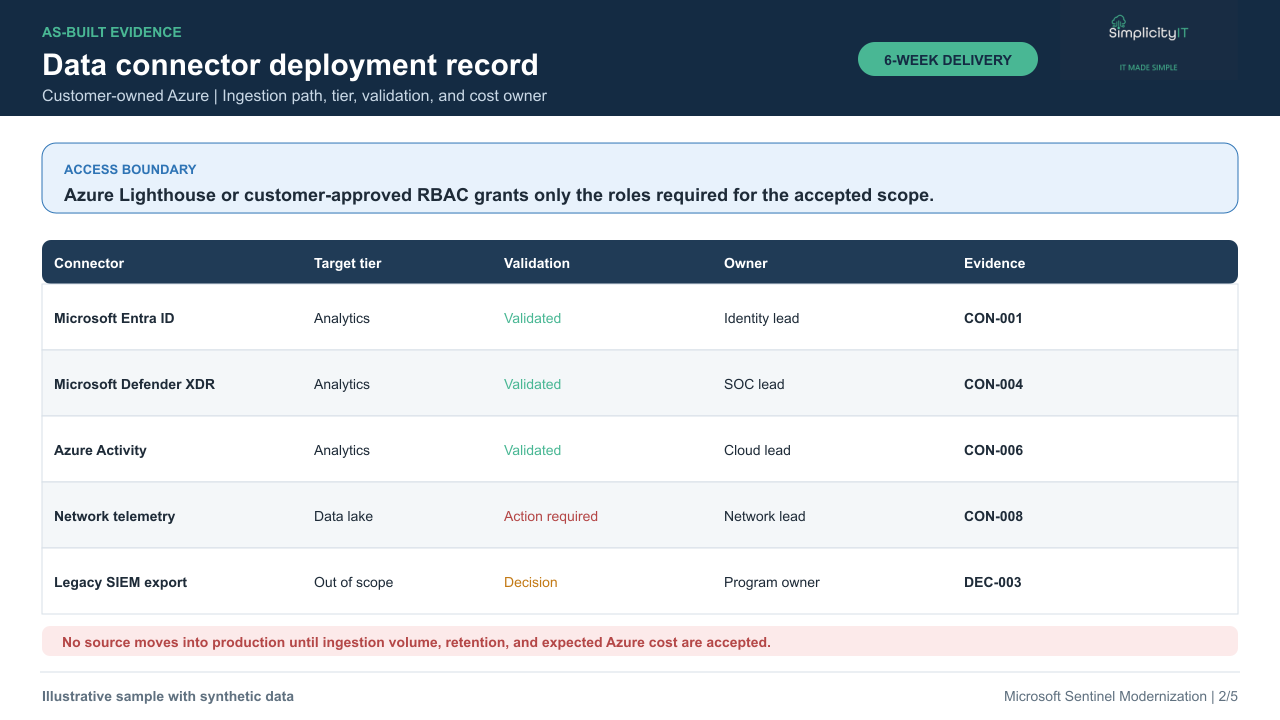
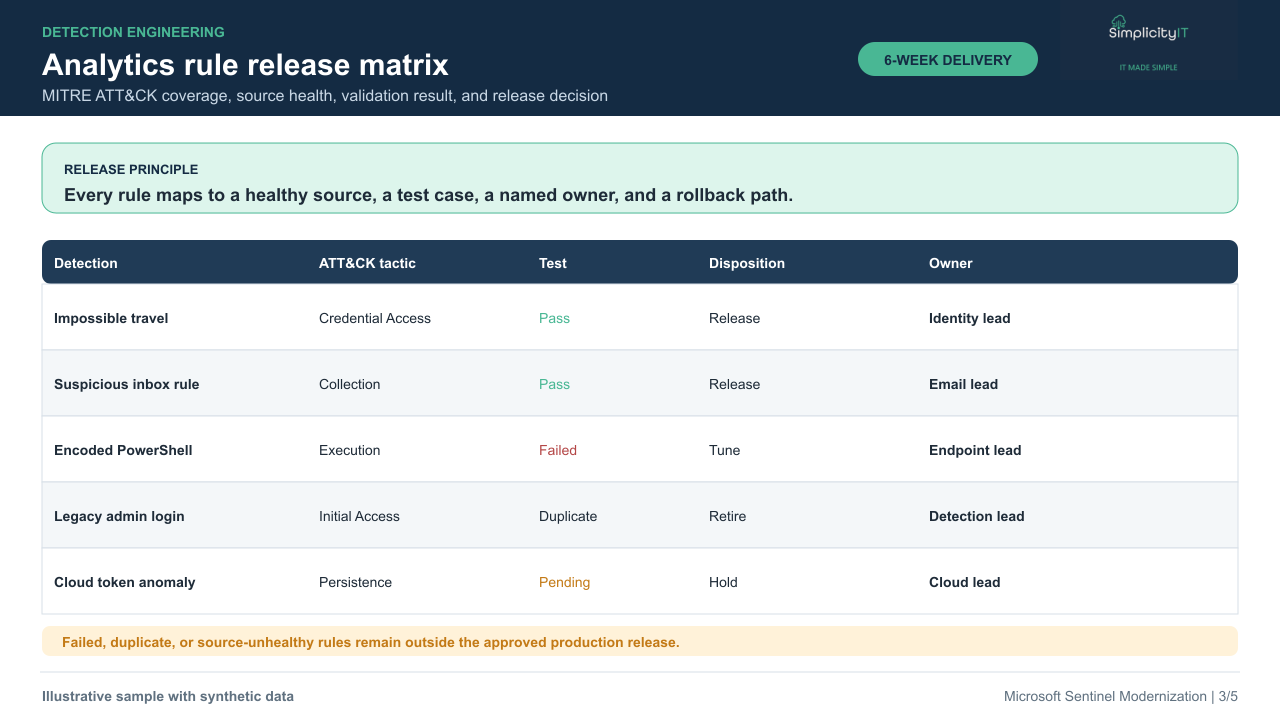
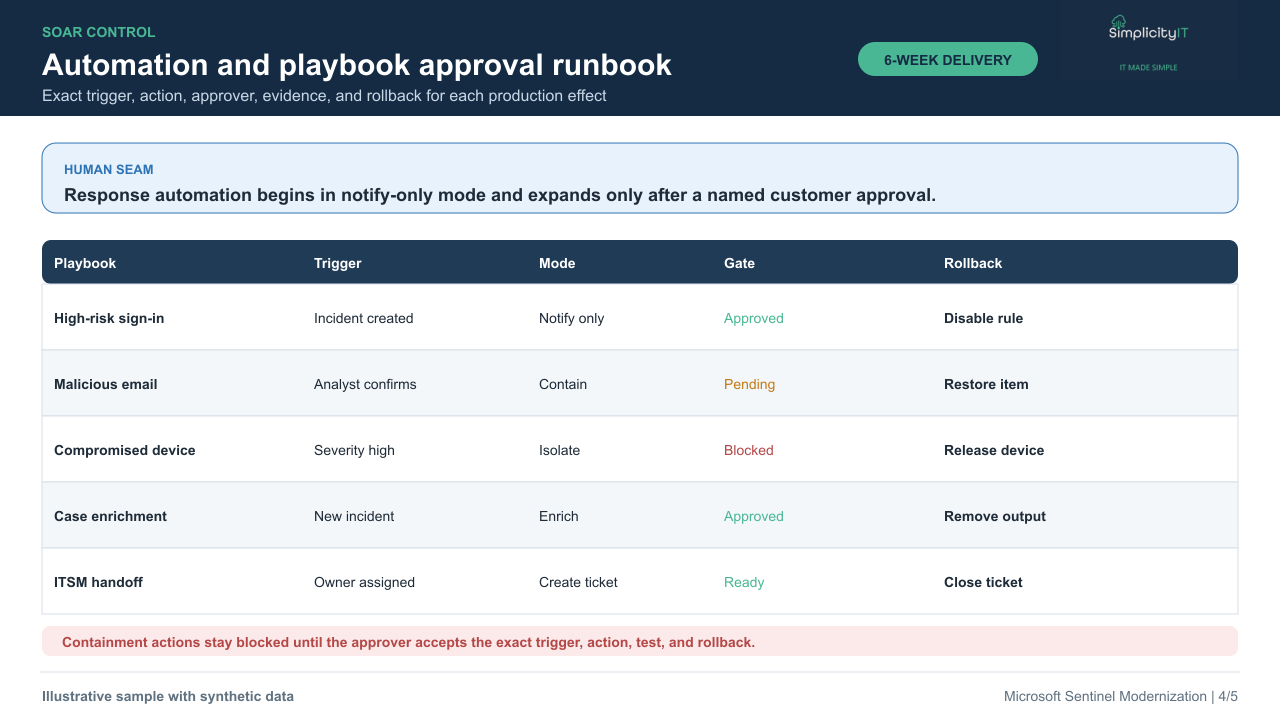
The customer confirms scope, access, acceptance criteria, change windows, and named approvers before build activity begins.
Simplicity IT builds and tests only the accepted work packages in the customer-owned environment, with evidence recorded at each checkpoint.
A named customer owner reviews the exact change, test result, rollback path, operating owner, and cost impact before any production effect or cutover.
The as-built record, acceptance evidence, rollback status, decision log, and operational handoff are retained according to the customer agreement.
Request a Microsoft Marketplace private offer for this scope. Before ordering, we will confirm the supported transaction route, agreed terms and availability. Microsoft licenses and consumption are separate. Professional-service fees do not count toward MACC.
Bring the relevant inventory, owners and priorities to a scoping conversation. Request the applicable service terms before committing; support scope is fixed in the accepted agreement.